Filters, morphing and movement from start to finish
Bypass A/B, 2/4/8 filter modes, controlled Morph X, LFO routing, a custom curve, and a full cutoff sweep.
Wahida Audio · ONE8
Design the sound, then make the motion part of it. ONE8 brings filter morphing, musical modulators, matrix routing, macros, sidechain behaviour, drive, stereo control, gain staging, and SAFE output into one focused instrument.
Hear ONE8 in action
These are real Logic recordings with audible processing, visible controls, and live meters. Watch the full demonstration or jump directly to one focused feature.
Bypass A/B, 2/4/8 filter modes, controlled Morph X, LFO routing, a custom curve, and a full cutoff sweep.
A held bypass comparison gives the processed growl and rhythmic cutoff movement time to register.
The selector changes on screen and every topology is held for a full phrase before moving on.
Morph X moves in measured stages and stops before the extreme bass-thinning edge.
Hear the filter hold still with the route off, then move rhythmically when the route returns.
Move from a dark low-pass position to 20 kHz, then settle back into a controlled growl.
The complete interface
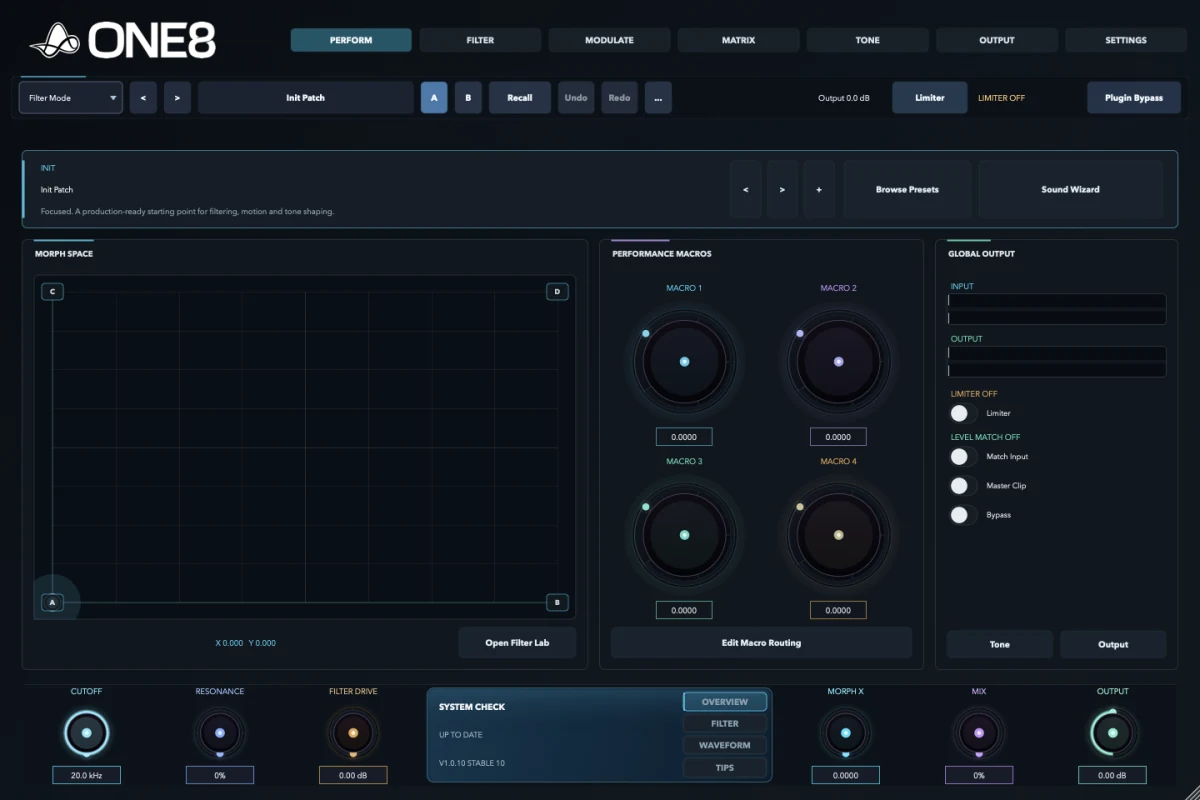
This is the current July interface. Each tab answers a different production question, while the global preset, A/B, limiter, bypass, cutoff, resonance, drive, morph, mix, and output controls stay close at hand.
Browse presets, use Sound Wizard, move the morph field, record macro automation, compare A/B states, and keep limiter and level confidence visible while the track runs.
Step through sounds, open the browser, or use Sound Wizard. The strip keeps the current patch, recall state, and A/B comparison together.
The X/Y surface turns several filter decisions into one playable gesture, ready for mouse, controller, or host automation.
Patch-defined macros collect useful destinations so a performance can stay expressive without reopening the deeper routing pages.
Input, output, limiter, Match Input, master clipping, bypass, and quick Tone and Output links stay visible while auditioning.
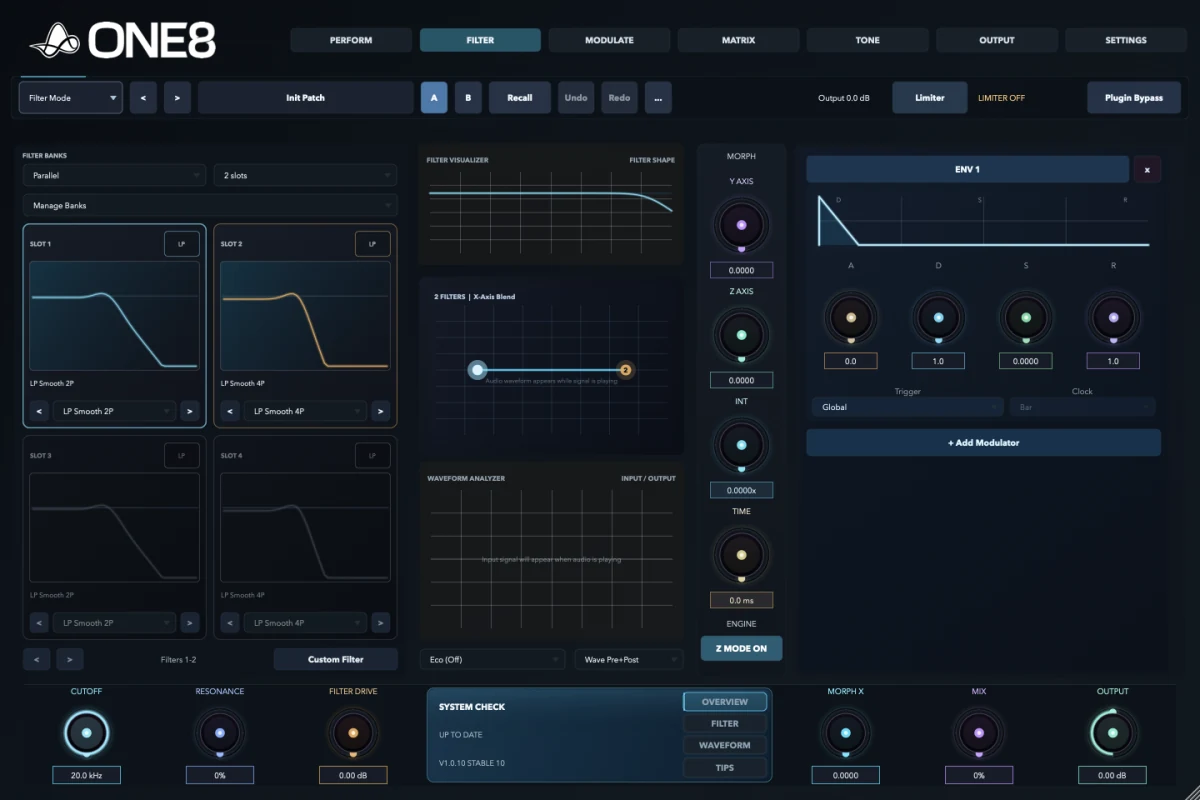
Choose the filter bank, slot count, routing topology, model per slot, custom response, analyzer source, morph engine, intensity, time, quality, and the modulators visible beside the filter.
Run two, four, or eight slots in Parallel, Serial, Split, or Mid-Side layouts, then manage the active bank as one system.
Select a model per slot, tune model-specific controls, change order, enable states, or open Custom Filter for a drawn response.
The Filter Visualizer shows the combined response while the morph map makes each active state and its relationship readable.
Compare pre, post, or combined waveform behaviour and select the quality and analyzer modes that fit the session.
Shape X, Y, Z, intensity, lag, and engine mode, then balance the result with Cutoff, Resonance, Filter Drive, Mix, and Output.
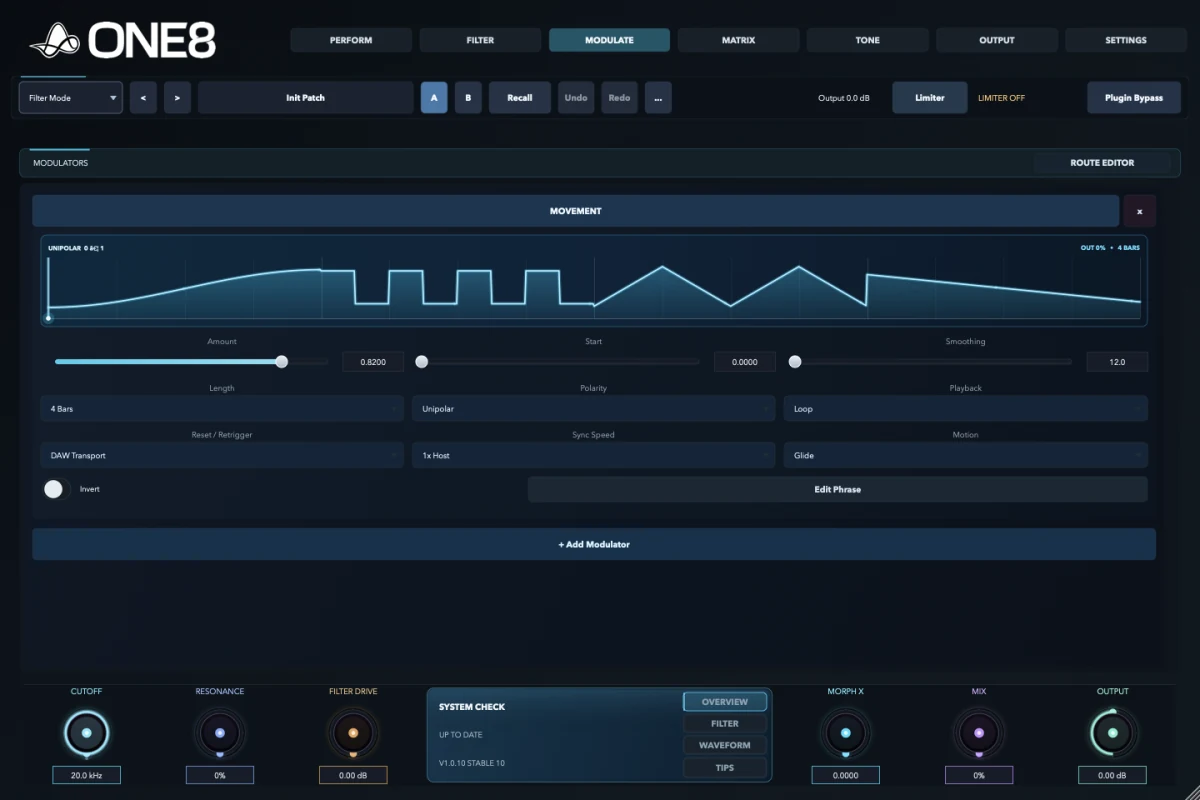
Create periodic, triggered, audio-reactive, drawn, stepped, processed, scene-based, or MIDI-driven movement, then open the route editor without losing the active source.
Use three LFOs and three envelopes for tempo-linked cycles, contours, gates, and transitions that follow the phrase.
Follower and Trigger sources turn level and transients into control signals for pumping, opening, accenting, and recovery.
Movement, Custom Shape, Step Sequencer, and Automation cover gestures that are too specific for a conventional oscillator.
Velocity, key, pitch bend, mod wheel, aftertouch, sustain, macros, buses, processors, and scenes can all become sources.
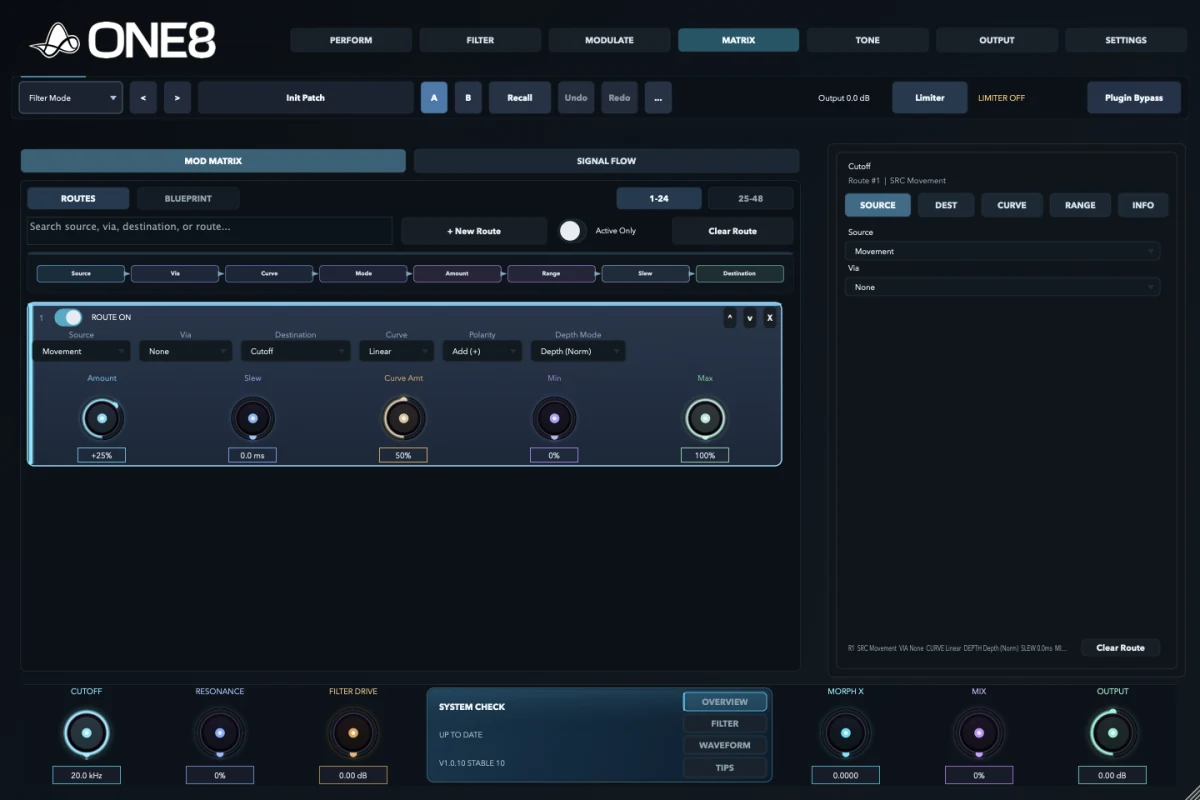
Choose Source, Destination, Curve, Range, Depth, and route information without losing sight of the active modulator.
Set source, destination, depth or absolute amount, polarity, via source, response curve, range, slew, enable state, and route order, then inspect the same route as a visual signal blueprint.
Set source, via, destination, curve, polarity, depth mode, amount, slew, range, state, and ordering from one audit view.
Blueprint converts a dense row into a visual chain so scaling, shaping, and destination relationships are easier to diagnose.
The flow view shows fixed and movable stages from input through filtering, tone, stereo, clip, output, limiting, and matching.
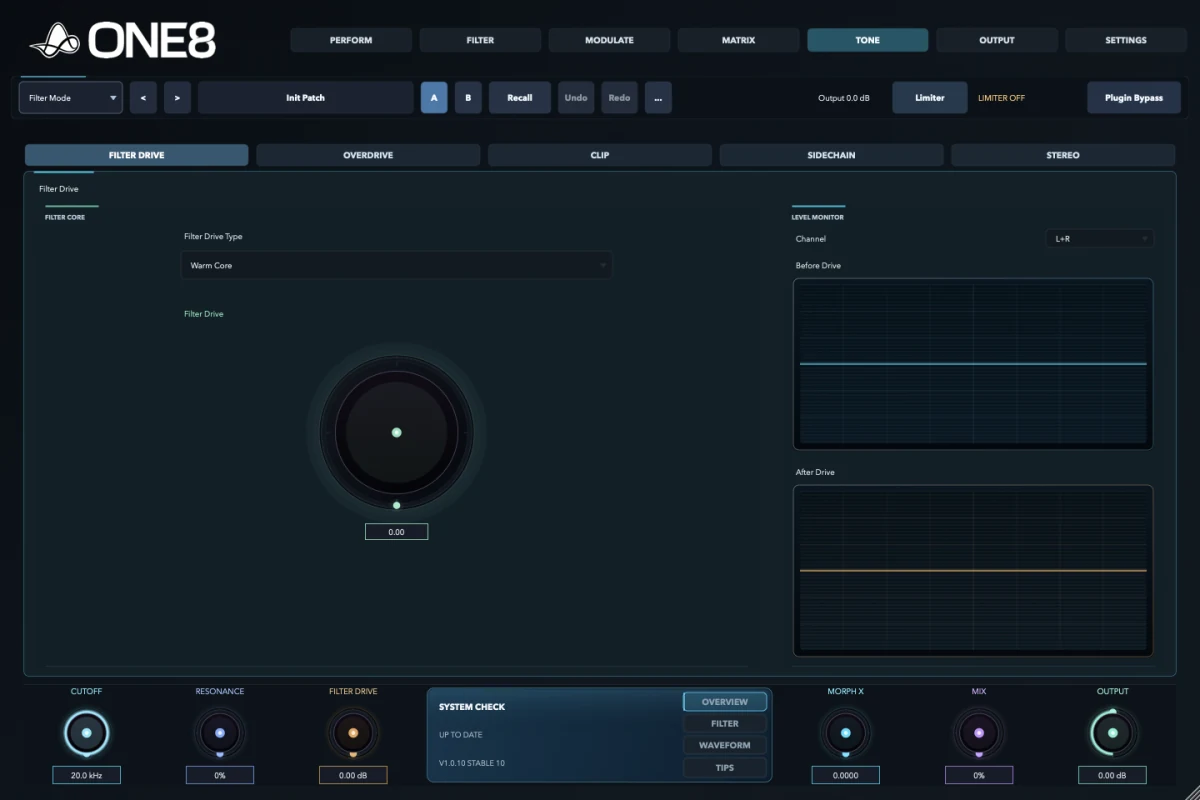
Use core drive before the filters, post-filter overdrive, frequency-clamped clipping, detector/target/detail sidechain pages, and image or band-split stereo processing.
Choose a core type and drive level, then compare the signal before and after the stage with dedicated level monitors.
Low, mid/high, full, and bass-focused drive controls shape harmonics at a different point in the signal path.
Work on Final Clip or Bands A-C, choose the clipping character, set amount and ceiling, and enable output clipping where needed.
Detector, Targets, and Detail views separate listening, assignment, timing, response, and detector filtering decisions.
Inspect Vector, Lissajous, or Bars views, then adjust width, rotation, asymmetry, and image or band-split behaviour.
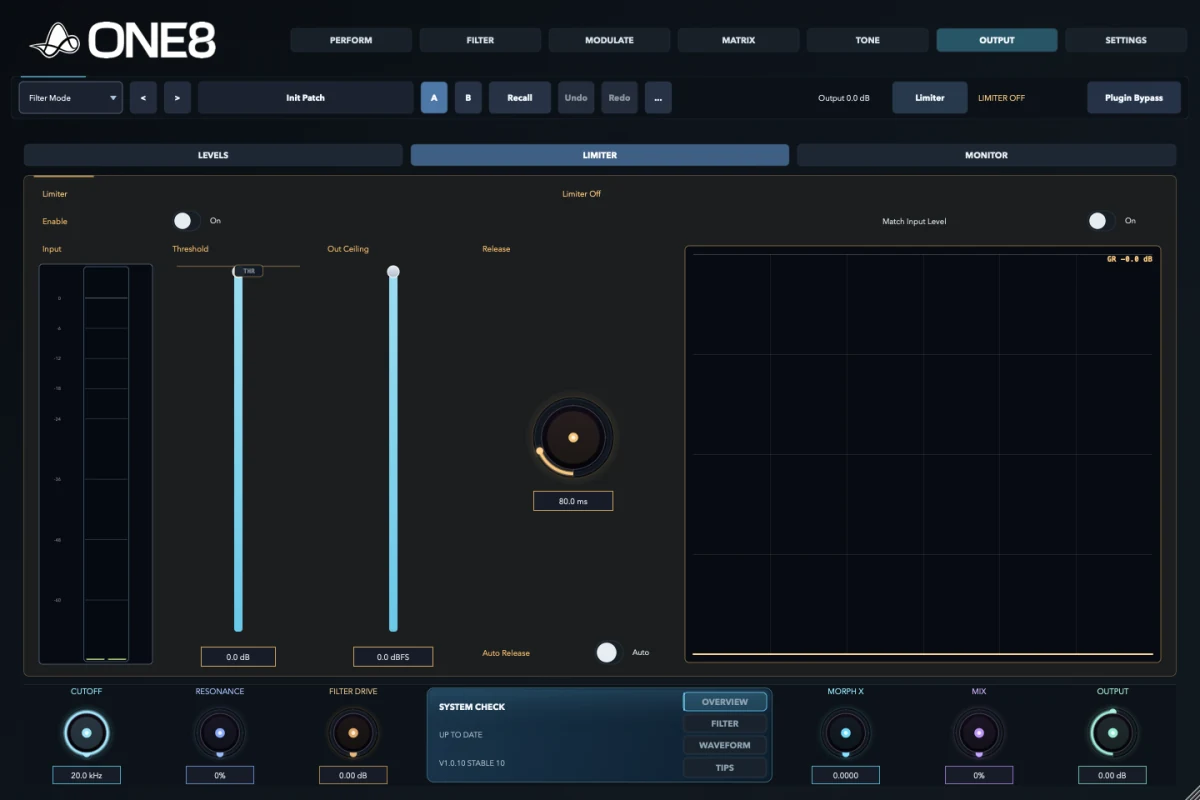
Set input and output trim, pan and mono state, configure limiter and safety behaviour, compare loudness fairly, and inspect vectors, scopes, bars, input, output, or delta monitoring.
Input and output meters, trim, pan, and stereo controls keep gain staging visible before the final safety stages.
Configure threshold, release, ARC, level, and safety behaviour, then use Match Input for a fair before-and-after decision.
Switch between Vector, Lissajous, and Bars while checking level, width, correlation, image, and the processing difference alone.
Control visualizer and help detail, quality and latency, watch CPU, memory, and latency, manage the current build, and activate or remove the licence for this machine.
Choose visualizer mode, help detail, tooltips, quality, and latency while watching current CPU, memory, and reported delay.
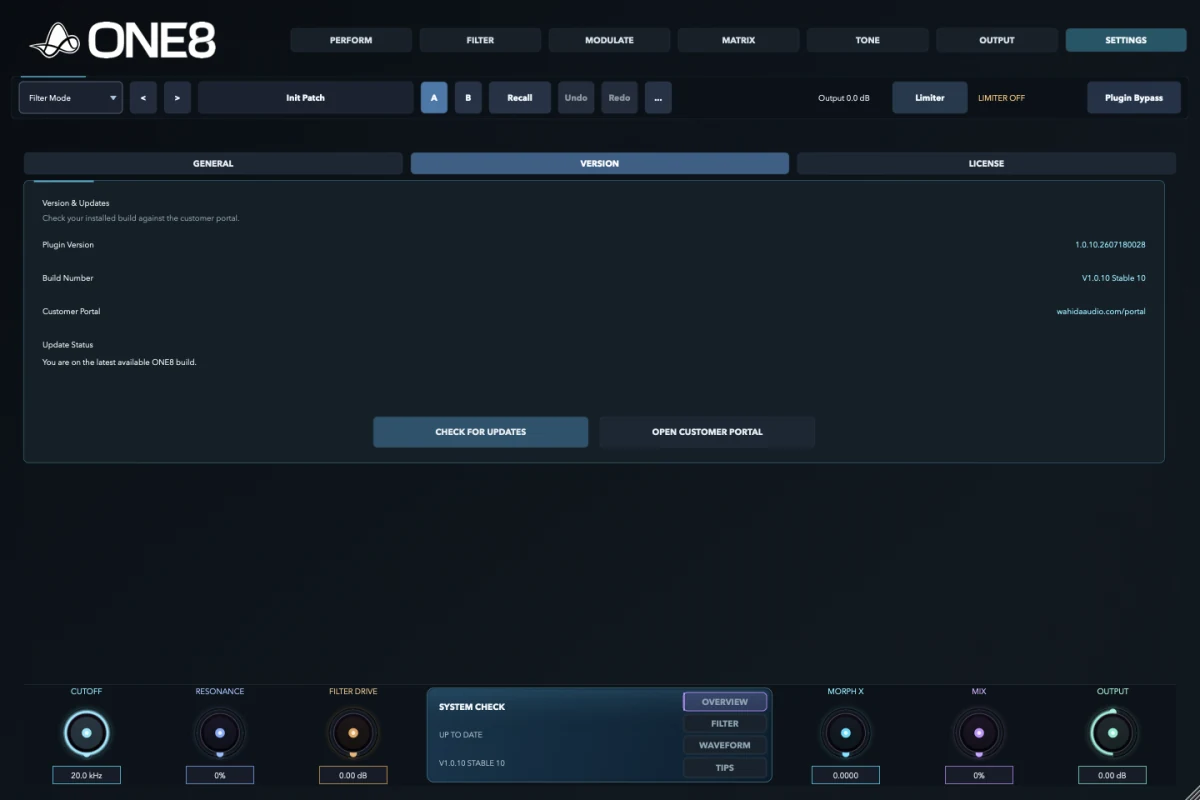
Read the plugin version and build number, check for updates, and open the customer portal from the same page.
Enter or reveal the serial, review machine and activation status, activate online, or remove the current licence.
Go deeper
Every tab, subview, control group, production use, signal-flow reason, and historical lineage in one searchable page.
Compatibility
ONE8 is built exclusively for Apple Silicon. The binary targets macOS 11 or later; a current macOS release is recommended for the strongest host compatibility, security updates, and performance.
The release binary targets macOS 11. Keep macOS and your DAW fully updated for the most reliable behaviour.
Native arm64 build only. Intel Macs and Rosetta-only systems are not supported.
A conservative working minimum that leaves room for ONE8 alongside instruments, effects, and larger projects.
1920 × 1080 or a Retina display is recommended for the clearest full-interface workflow.
Use Audio Unit, MIDI Audio Unit, or VST3 in a compatible 64-bit Apple Silicon host.
Internet is required for download, initial activation, and periodic licence checks. Offline use is available between checks after activation.
ONE8
Downloads, manuals, licences, and account access stay in the customer portal.